
Sprunki - Talking Sky
New Games

Trending Games
![Kick the Buddy but Durple [Sprunki - Beat Up Durple]](https://game.sprunkiretake.net/kick-the-buddy-but-durple.webp)
Popular Games

Comments
Sprunki Categories


Sprunki - Talking Sky: Talking Tom Cat but with Sky
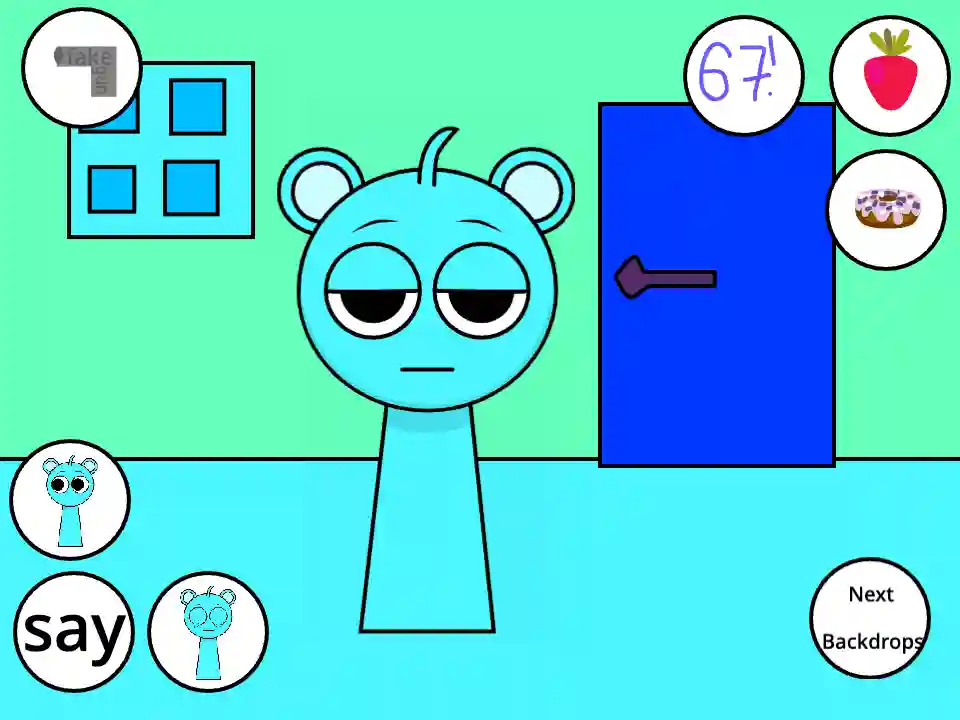
If you thought the Incredibox modding community was solely focused on rhythm and music creation, get ready for a completely different experience. Sprunki - Talking Sky takes one of the most beloved characters from the franchise and places him directly into an interactive, virtual pet simulator. Heavily inspired by Outfit7's legendary Talking Tom Cat mobile games, this browser-based spin-off has quickly become a massive hit. Instead of dragging and dropping musical beats, you are now tasked with feeding, poking, and talking to Sky, the adorable blue Sprunki.
In this comprehensive guide, we will dive deep into the hilarious lore, the surprisingly addictive gameplay mechanics, the expanded cast of characters in various spin-offs, and why this unique Incredibox mod is currently taking YouTube and Scratch by storm.
Lore and Story: From Beatboxer to Virtual Pet
The standard lore of the Sprunki universe usually revolves around a group of quirky, colorful characters creating harmonious (and sometimes terrifying) musical tracks. However, the lore of Sprunki - Talking Sky represents a humorous departure from the canonical music game format.
In this alternate universe, Sky—the endearing, blue, round-eared character—has taken a break from his beatboxing duties to become your personal virtual companion. The overarching story here is less about a cohesive plot and more about a hilarious meta-narrative. The community loved Sky’s innocent design so much that creators on platforms like Scratch and Penguinmod decided he needed his own Tamagotchi-style game.
But because this is still rooted in the somewhat chaotic Sprunki fandom, this isn't just a wholesome pet simulator. The "story" unfolds through your interactions. Will you be a kind caretaker who feeds Sky delicious treats, or will you annoy him until he cries? The game captures the bizarre, slapstick humor of early 2010s mobile games while injecting the distinct, slightly unhinged charm that Incredibox mod fans absolutely adore.
Gameplay Mechanics: How to Play and Interact
Playing Sprunki - Talking Sky is an incredibly intuitive and nostalgic experience. Whether you play online via Scratch or Penguinmod, the game completely shifts away from the traditional drag-and-drop music interface. Here is a detailed breakdown of how to master the mechanics and trigger every reaction:
- The Microphone Feature (The "Talking" Mechanic): Just like the classic mobile games it parodies, the core feature of this game requires microphone access. Once granted, you can speak into your device, and Sky will listen intently. After a brief pause, he will repeat exactly what you said back to you, usually in a high-pitched, squeaky, or distorted voice. It is a fantastic feature for creating funny video clips.
- Interactive Action Buttons: The screen is populated with various interactive UI buttons that trigger specific animations. You will find a fist icon, a food icon, and background switchers.
- Feeding Sky: By clicking the food icons, you can offer Sky different treats. The most popular items are the donut and the strawberry. Watching his adorable chewing animations is one of the most wholesome parts of the game.
- Slapstick Reactions: If you click on Sky directly or use the action buttons, you can poke, punch, or knock him over. Depending on where you click, Sky will react with dizziness, anger, or even start crying. There are typically around 8 unique actions you can perform in the base game.
- Environment Switching: You can alter the background of the game, taking Sky from a standard living room to a forest, or even into space.
Character Guide: Sky and the "Talking" Universe Cast
While Sky is the main attraction of the original game, the massive popularity of the mod has spawned an entire sub-genre of interactive titles featuring the rest of the cast.
- Sky (The Blue Protagonist): In this game, Sky retains his cute, blank-staring persona. He is highly responsive to your clicks. When fed, he smiles brightly; when hit, he sheds cartoonish tears. His voice mimicry is the highlight of the experience.
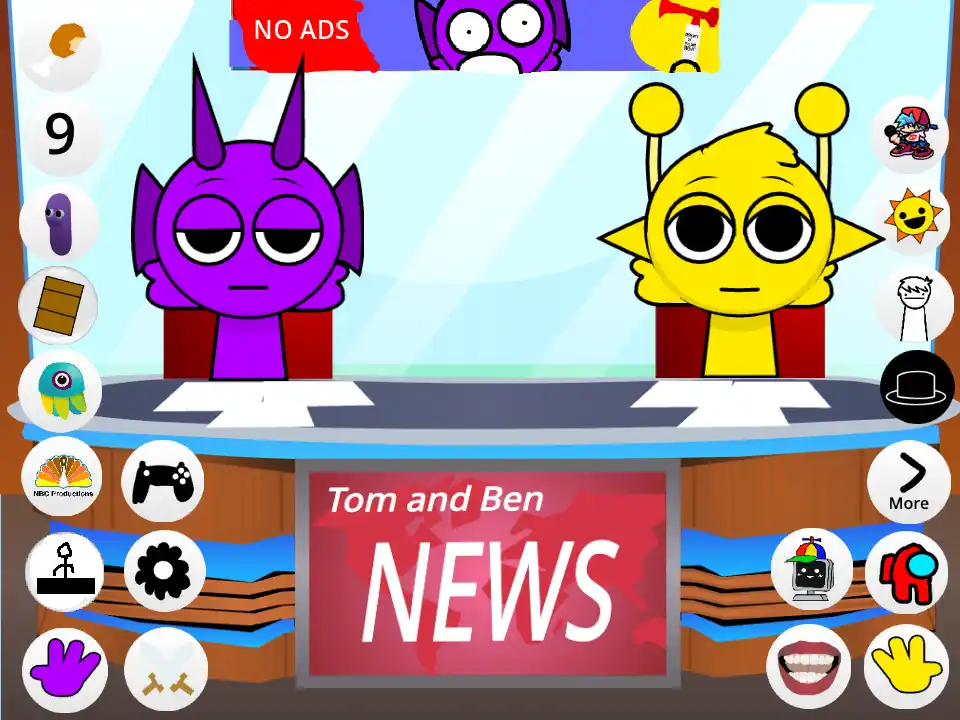
- Simon and Durple (The News Anchors): Due to the success of the base game, developers created Talking Sky & Simon News (a parody of Talking Tom & Ben News). In this spin-off, Simon joins Sky at a news desk. Players can make the two characters fight, throw things at each other, and repeat news broadcasts, expanding the interactive actions up to 12 unique triggers!
- Garnold and Clukr: Featured in broader spin-offs like Talking Sky Friends, these characters join the virtual house. Garnold and Clukr bring their own robotic and chaotic animations to the mix, allowing you to manage multiple Sprunkis at once.
- Jevin: Often appearing in the background or in crossover news games, Jevin adds an extra layer of slapstick comedy, frequently getting knocked off his chair during interactive segments.
If you enjoy these hands-on, pet-like experiences that break the mold of standard rhythm mixing, you should definitely explore the Interactive Sprunki category. There, you can find a variety of mods that let you directly engage with the characters, throw objects, and trigger hilarious custom animations rather than just creating music.
Tips and Strategy for the Best Experience
To get the most out of your time with Sprunki - Talking Sky, keep these tips and tricks in mind:
- Enable Microphone Permissions Properly: The game relies heavily on its audio-repeating mechanic. Make sure your browser settings allow the Scratch or Penguinmod page to access your mic. Speak clearly and wait for the red recording icon to stop before expecting Sky to repeat your phrase.
- Hunt for Secret Actions: Don't just rely on the on-screen buttons. Try clicking different parts of Sky's body—his ears, his feet, his stomach—to trigger hidden animations that aren't tied to the main UI.
- Experiment with the News Spin-offs: Once you have mastered the base game, highly recommend searching for the Talking Sky & Simon News variant. The interactions between the two characters are hilarious, and timing their fights while speaking into the mic creates fantastic comedic moments.
- Mix and Match Foods: Sometimes feeding Sky too much of one item triggers a unique "full" or sick animation. Try giving him alternating donuts and strawberries to see all of his available eating sprites.
Conclusion
Sprunki - Talking Sky is a delightful, hilarious breath of fresh air in the Incredibox modding community. By perfectly parodying classic virtual pet games while utilizing the beloved designs of the Sprunki cast, developers have created an endlessly entertaining browser game.
Whether you want to feed Sky a donut, watch him and Simon bicker at a news desk, or just hear your own voice repeated in a squeaky cartoon pitch, this mod offers immense replay value. It proves that the community's creativity knows no bounds, extending far beyond the realm of simple music creation. So, grant your microphone access, click play online, and start interacting with your new favorite digital pet today!